
To plan an online store well, start long before you choose a theme, upload product photos, or design a homepage.
An online store is not simply a website with products on it.
It also needs to handle product information, customer decisions, payments, shipping, taxes, orders, notifications, returns, inventory, and ongoing maintenance.
If these decisions are left until the store is already being built, even a relatively simple ecommerce project can become unnecessarily complicated.
Planning first helps you understand what the store actually needs, which platform features matter, and which decisions can wait until later.
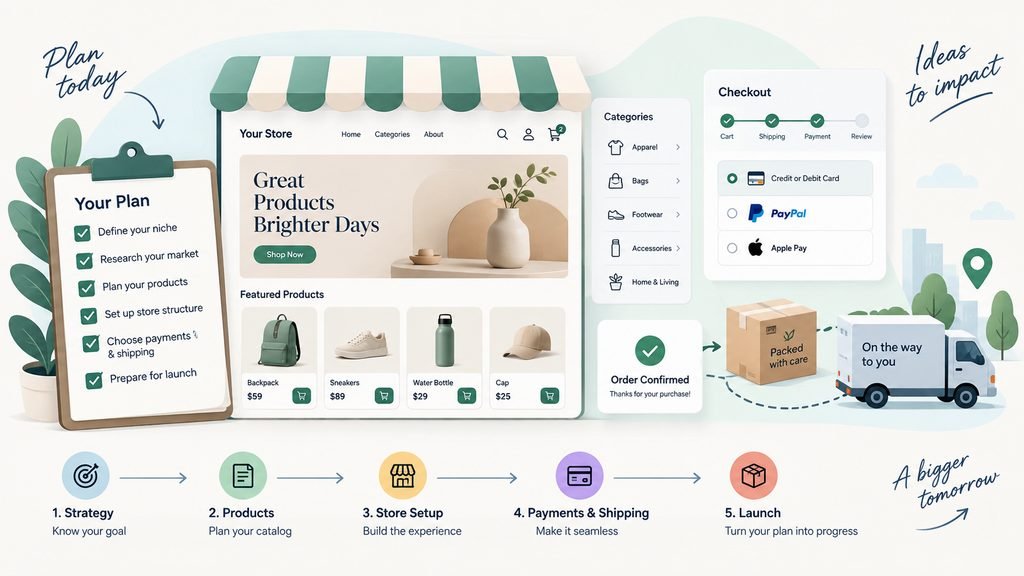
This guide walks through the main questions to answer before building an online store.
Start With What You Are Actually Selling
Before thinking about platforms or design, define the products.
Different products create very different ecommerce requirements.
You may sell:
- physical products;
- digital downloads;
- subscriptions;
- memberships;
- made-to-order products;
- personalized products;
- services;
- event tickets;
- courses;
- product bundles.
A store selling downloadable templates has very different needs from a store shipping furniture internationally.
Likewise, a subscription business has different requirements from a one-time purchase store.
Start by writing down:
- what you sell;
- how customers receive it;
- whether products are standardized or customized;
- whether customers buy once or repeatedly;
- whether products have variations;
- whether inventory needs to be tracked.
These answers shape almost every later decision.
Estimate How Many Products You Will Have
Product count affects store structure and management.
A store with six products may only need a simple shop page.
A store with 2,000 products may require:
- categories;
- filters;
- search;
- sorting;
- structured product attributes;
- inventory systems;
- bulk editing;
- product import tools.
Do not only count the products you have today.
Consider the number you realistically expect to manage over the next year or two.
For example:
Current products: 20
Expected within 12 months: 80
That future growth may justify organizing categories properly from the beginning.
However, avoid designing for imaginary scale.
If you currently sell ten products, you probably do not need enterprise-level product architecture because you might someday have 100,000 items.
Identify Product Variations
Many products come in different versions.
Examples include:
- size;
- color;
- material;
- capacity;
- style;
- package size;
- subscription duration.
A T-shirt might have:
Colors
- Black
- White
- Blue
Sizes
- S
- M
- L
- XL
That one product already creates multiple possible combinations.
Before building the store, determine:
- which variations customers choose;
- whether each variation has a different price;
- whether each variation has separate inventory;
- whether images change by variation;
- whether some combinations are unavailable.
This is especially important if your catalog contains many configurable products.
Decide Whether Products Are Standard or Custom
Some products can simply be added to the cart.
Others require customer input.
For example:
A personalized sign might require:
- text;
- font choice;
- color;
- dimensions;
- file upload.
A custom printing business might require customers to upload artwork.
A made-to-measure product may require measurements.
These are not ordinary product variations.
They may require:
- custom fields;
- upload controls;
- dynamic pricing;
- approval workflows;
- additional order information.
Identify these requirements early.
Otherwise, you may choose a store setup that handles simple products well but struggles with the way your products actually work.
Define Your Main Customer
Your store structure should reflect how customers shop.
Ask:
- Who buys the products?
- Are they consumers or businesses?
- Do they already understand the products?
- Do they usually know exactly what they want?
- Do they need education before purchasing?
- Do they buy one item or many?
- Do they purchase repeatedly?
For example, someone buying printer ink may search directly for a model number.
Someone buying skincare may browse by:
- skin type;
- concern;
- ingredient;
- product type.
Someone purchasing industrial equipment may need:
- detailed specifications;
- compatibility information;
- downloadable documents;
- quote requests.
Understanding how customers choose products helps determine how the catalog should be organized.
Define the Main Buying Journey
Write down what a normal purchase should look like.
For a simple store:
Product → Cart → Checkout → Payment → Confirmation
For another business:
Category → Product → Customize → Upload File → Cart → Checkout → Approval
A business-to-business store might use:
Product → Request Quote → Review → Invoice → Payment
A subscription service might use:
Plan → Account Creation → Payment → Recurring Billing → Customer Portal
Do not assume every ecommerce store needs the exact same buying flow.
The right flow depends on the business.
Plan Product Categories
Categories help customers browse a larger catalog.
A clothing store might use:
- Men
- Women
- Kids
- Accessories
A furniture store might use:
- Living Room
- Bedroom
- Dining
- Office
- Outdoor
Try to organize categories around how customers think rather than how the business stores inventory internally.
Avoid creating too many categories with only one or two products.
Also avoid placing everything into one huge general category when customers clearly need more specific routes.
A good category structure should make it easier to answer:
Where would I look for this product?
Consider Filters and Search
Not every store needs advanced filtering.
A store with twelve products probably does not need ten filters.
But a large catalog may benefit from filters such as:
- price;
- size;
- color;
- brand;
- availability;
- material;
- rating;
- compatibility.
Search becomes more important as product count increases.
Consider whether customers search by:
- product name;
- SKU;
- model;
- category;
- specification;
- brand.
The more structured your product information is, the easier it becomes to support useful filtering and search later.
Plan the Product Page Information
Before designing product pages, decide what information customers need to make a decision.
Typical product information may include:
- product name;
- price;
- images;
- short description;
- detailed description;
- specifications;
- dimensions;
- materials;
- variations;
- stock status;
- shipping information;
- returns information;
- reviews;
- care instructions;
- downloadable documents.
Not every product requires every field.
A digital template may need:
- file format;
- compatibility;
- download instructions.
A piece of furniture may need:
- dimensions;
- materials;
- weight;
- assembly information;
- shipping restrictions.
Product pages should answer the questions customers are likely to ask before buying.
Plan Product Photography Before Launch
Images are a major part of ecommerce.
Do not wait until the store is nearly finished to think about them.
Decide:
- how many images each product needs;
- image orientation;
- background style;
- whether lifestyle images are needed;
- whether detail shots are needed;
- whether variation-specific images are required.
For physical products, consistency matters.
If every product image uses a different crop, background, or proportion, category pages can quickly look disorganized.
You do not need an elaborate photography system.
But you should establish a repeatable standard.
Decide How Pricing Works
Pricing requirements can become more complicated than they first appear.
Consider whether you need:
- fixed prices;
- sale prices;
- quantity discounts;
- wholesale prices;
- customer-specific prices;
- subscription pricing;
- bundle discounts;
- coupons;
- volume pricing;
- regional pricing.
A simple store may only need:
Regular price + Sale price
A B2B store may require completely different pricing depending on the customer account.
Document these rules before choosing a platform or extension.
Decide Which Countries You Will Sell To
Shipping and tax complexity changes significantly depending on where customers are located.
Ask:
- Will you sell domestically only?
- Will you ship internationally?
- Are some products restricted to certain locations?
- Are prices the same internationally?
- Are currencies different?
- Are taxes handled differently by location?
Do not enable worldwide shipping merely because the platform allows it.
Only offer locations the business can realistically support.
Plan Shipping
For physical products, shipping is one of the most important parts of store planning.
Decide how shipping should work.
Possible approaches include:
Flat rate
Example:
$8 shipping per order.
Free shipping
Perhaps above a certain order value.
Weight-based shipping
Heavier orders cost more.
Location-based shipping
Rates vary by destination.
Carrier-calculated shipping
Rates are retrieved from a shipping provider.
Local delivery
Available within a specific area.
Local pickup
Customers collect the order themselves.
You may use more than one method.
For example:
- standard shipping;
- express shipping;
- local pickup.
Define the business rules first.
The technical setup comes afterward.
Think About Packaging
Shipping cost does not only depend on the product.
Packaging matters too.
Consider:
- package dimensions;
- weight;
- fragile items;
- multiple products in one parcel;
- oversized products;
- refrigerated goods;
- dangerous or restricted goods.
If shipping rates need to be calculated automatically, accurate dimensions and weights may become important product data.
Decide Which Payment Methods You Need
Do not try to support every payment option available.
Start with what customers actually need.
Possible payment methods include:
- credit and debit cards;
- digital wallets;
- bank transfer;
- cash on delivery;
- local payment methods;
- installment payments.
Availability depends on country, payment provider, business type, and store platform.
Before choosing a payment provider, consider:
- supported countries;
- supported currencies;
- fees;
- payout schedule;
- refund support;
- recurring billing if required;
- fraud protection;
- integration with your platform.
Payments are a mature, specialized area.
A store should generally integrate with established payment providers rather than attempting to handle payment processing itself.
Decide Whether Customers Need Accounts
Some stores require accounts.
Others work perfectly well with guest checkout.
Customer accounts can be useful for:
- viewing orders;
- downloading digital products;
- managing subscriptions;
- saving addresses;
- accessing member pricing;
- tracking rewards.
But accounts also introduce:
- registration;
- login;
- passwords;
- account security;
- password reset;
- privacy considerations.
If accounts do not provide meaningful customer value, forcing registration before checkout may create unnecessary friction.
Plan the Checkout
Checkout is one of the most important parts of an online store.
Before customizing it, determine what information is actually required.
Common fields include:
- name;
- email;
- shipping address;
- billing address;
- phone;
- payment information.
Avoid collecting unnecessary information.
Every additional field gives customers another task to complete.
Also consider:
- guest checkout;
- account creation;
- coupons;
- shipping selection;
- terms acceptance;
- order notes.
The checkout should support the actual transaction without becoming a questionnaire.
Decide How Taxes Will Be Handled
Tax requirements depend on:
- business location;
- customer location;
- product type;
- applicable laws.
At the planning stage, determine whether the store needs:
- tax-inclusive pricing;
- tax-exclusive pricing;
- location-based tax calculation;
- tax exemptions;
- business tax IDs.
The specific legal treatment should be confirmed according to the business’s jurisdiction and circumstances.
What matters for store planning is identifying that tax handling is part of the system.
Define the Order Workflow
A successful payment is not the end of ecommerce operations.
What happens after someone orders?
For example:
Order received
→ Payment confirmed
→ Warehouse notified
→ Product packed
→ Shipping label created
→ Order shipped
→ Customer receives tracking
→ Order marked complete
A digital product may instead use:
Payment confirmed
→ Download access created
→ Customer receives email
→ Customer downloads file
A made-to-order business could require:
Order received
→ Requirements reviewed
→ Proof sent
→ Customer approves
→ Production begins
→ Order ships
Planning this workflow helps identify what the store needs to automate and what staff will handle manually.
Plan Order Emails
Stores commonly send transactional messages such as:
- order confirmation;
- payment confirmation;
- shipment notification;
- refund confirmation;
- password reset;
- account creation.
Decide which messages customers genuinely need.
These emails should be considered part of the buying experience, not an afterthought.
Check:
- sender name;
- sender email;
- branding;
- wording;
- links;
- mobile readability.
Most ecommerce platforms already provide mature transactional email functionality.
Usually the job is to configure and customize it rather than create an email system from scratch.
Decide How Inventory Works
If you sell physical products, determine whether the website needs inventory tracking.
Questions include:
- Should inventory decrease automatically after a purchase?
- Can customers buy out-of-stock products?
- Should low-stock alerts be sent?
- Do variations have separate stock?
- Is stock shared with a physical store?
- Is inventory managed in another system?
A small online-only shop may manage inventory directly in the ecommerce platform.
A larger retailer may need integration with an existing inventory or point-of-sale system.
Avoid maintaining two independent stock systems if they can become inconsistent.
Plan Returns and Refunds
Customers should understand what happens if there is a problem.
Your store may need information about:
- return eligibility;
- return period;
- refund process;
- damaged products;
- exchanges;
- return shipping;
- non-returnable products.
For digital or customized products, different policies may apply.
The store should also support the operational process required to issue refunds when appropriate.
Identify Legal and Policy Pages
Depending on the business and jurisdiction, an ecommerce store may require pages such as:
- Privacy Policy
- Terms and Conditions
- Shipping Policy
- Returns and Refunds Policy
- Cookie information
- Contact information
These should be planned before launch.
Do not copy legal documents blindly from another store.
Policies need to reflect the way your own business actually operates.
Decide Whether You Need Reviews
Product reviews can help customers evaluate unfamiliar products.
But they also require management.
Consider:
- who can submit reviews;
- whether purchase verification is required;
- moderation;
- spam;
- rating display;
- review requests.
If the store is brand new, the review section may initially be empty.
That is not necessarily a reason to avoid reviews altogether, but it should be considered during planning.
Plan Promotions and Discounts
Determine what kinds of promotions the business actually expects to use.
Examples:
- percentage discounts;
- fixed discounts;
- free shipping;
- coupons;
- bundles;
- seasonal sales;
- quantity discounts.
Avoid overengineering promotional logic before the store has real customers.
Most established ecommerce platforms already support common discount types.
Use those first unless the business has a genuine requirement that they cannot handle.
Decide Whether You Need Subscriptions
Subscriptions add another layer of complexity.
A subscription store may need:
- recurring payments;
- renewal schedules;
- failed-payment handling;
- cancellation;
- plan changes;
- customer portal;
- recurring invoices;
- renewal emails.
Do not treat subscriptions as simply another product type.
They create an ongoing customer and payment relationship.
If subscriptions are required, make sure the chosen platform and payment provider support them properly.
Decide Whether You Need Multiple Currencies
Selling internationally does not automatically mean you need several currencies.
You may choose to sell everything in one currency.
If multiple currencies are important, determine:
- which currencies;
- whether prices are automatically converted;
- whether you set fixed regional prices;
- which currency customers are charged in;
- how refunds are handled.
Currency display and payment settlement are not always the same thing.
Understand what the platform and payment provider actually support.
Consider Multiple Languages Separately
Multiple currencies and multiple languages are different requirements.
A multilingual store may need translations for:
- navigation;
- product names;
- descriptions;
- categories;
- checkout text;
- emails;
- policies;
- SEO metadata.
The challenge is not only creating the first translation.
It is keeping every language updated when products change.
Only add languages the business can realistically maintain.
Decide Who Will Manage the Store
This question is often overlooked.
After launch, someone needs to:
- add products;
- update prices;
- change inventory;
- process orders;
- handle refunds;
- answer customer questions;
- update policies;
- manage promotions.
If store staff will do this themselves, ease of administration becomes an important platform requirement.
The best ecommerce platform is not only the one customers can use.
It also needs to be manageable by the people running the business.
Choose the Platform After Understanding the Requirements
Platform selection should come after planning, not before it.
Popular ecommerce systems solve different problems and suit different businesses.
Instead of asking:
Which ecommerce platform is best?
Ask:
Which platform best supports the requirements of this store?
Compare areas such as:
- product management;
- payments;
- shipping;
- taxes;
- integrations;
- subscriptions;
- multilingual support;
- content management;
- administration;
- extensions;
- ongoing costs;
- maintenance;
- scalability.
A mature existing ecommerce platform will normally be a better starting point than developing core store functionality from scratch.
Payments, orders, taxes, checkout, accounts, inventory, and refunds are already well-established ecommerce problems.
Custom development should normally be reserved for requirements that standard platforms and integrations cannot reasonably handle.
Do Not Choose a Platform Only Because It Looks Easy
A platform may be easy to start using but poorly suited to the actual business.
For example, a simple hosted platform may be ideal for a standard retail shop.
But a business with complex B2B pricing or unusual product configuration may require different capabilities.
Likewise, a highly flexible platform may be unnecessary for a store selling five straightforward products.
The right level of complexity matters.
Choose the simplest mature solution that satisfies the real requirements.
Define the Store’s Page Structure
An online store normally contains more than product pages.
A basic structure might include:
Home
Shop
- Category A
- Category B
- Category C
Product Pages
About
FAQ
Shipping & Returns
Contact
Cart
Checkout
Account if required
Legal Pages
The exact structure depends on the store.
The goal is to make major customer tasks easy:
- discover products;
- evaluate products;
- buy products;
- understand delivery;
- get support.
Plan the Homepage Around Shopping
An ecommerce homepage should help customers find useful routes quickly.
Possible sections include:
- primary value proposition;
- major product categories;
- featured products;
- new products;
- best sellers;
- current promotions;
- brand benefits;
- customer reviews;
- shipping information.
Do not add every possible ecommerce section.
Choose what helps customers start shopping.
For a small focused catalog, product categories may be unnecessary.
For a large catalog, categories may be one of the most important things on the page.
Think About Mobile Shopping
A significant amount of online shopping happens on mobile devices.
Plan for:
- readable product information;
- easy image browsing;
- accessible variation selectors;
- large enough buttons;
- usable filters;
- simple cart management;
- easy checkout;
- appropriate keyboards for fields;
- minimal horizontal scrolling.
Do not assume a desktop store automatically becomes a good mobile store just because the layout technically shrinks.
The important purchase journey should be tested at mobile sizes.
Plan Search and SEO Structure Early
Ecommerce SEO is heavily affected by catalog structure.
Consider:
- category URLs;
- product URLs;
- duplicate variations;
- product descriptions;
- image alt text;
- internal linking;
- breadcrumbs;
- product availability;
- discontinued products.
Avoid creating a chaotic URL or category structure and trying to repair it later.
A clean catalog structure helps both customers and search engines understand the store.
Decide What Analytics Matter
Do not collect data without knowing what you want to learn.
Useful ecommerce measurements may include:
- product views;
- add-to-cart rate;
- checkout starts;
- completed purchases;
- average order value;
- conversion rate;
- revenue;
- traffic source.
You may also want to understand where customers abandon the buying process.
Set up the important measurements when the store launches so you can use real behavior to guide later improvements.
Plan Customer Support
Customers may need help with:
- product questions;
- order status;
- shipping;
- returns;
- damaged products;
- account access.
Decide which support channels the business can realistically maintain.
Possibilities include:
- email;
- contact form;
- help desk;
- live chat;
- phone.
Adding every support channel is not necessarily better.
A reliable email support process can be more useful than a live chat that nobody monitors.
Separate Launch Requirements From Future Features
A common mistake is attempting to build the final version of the store before the first customer arrives.
Instead, divide requirements into phases.
Launch
Everything needed to sell properly.
For example:
- catalog;
- product pages;
- cart;
- checkout;
- payments;
- shipping;
- transactional emails;
- policies.
Later
Useful improvements based on real demand.
For example:
- loyalty program;
- product recommendations;
- advanced filters;
- bundles;
- subscriptions;
- automation.
Future
Ideas that may become relevant if the business grows.
For example:
- wholesale portal;
- advanced inventory integration;
- international warehouses.
This helps keep the launch scope realistic.
Test the Entire Purchase Journey
Before launch, do not only check whether pages look correct.
Place real test orders.
Verify the entire flow:
Find Product → Choose Options → Add to Cart → Checkout → Pay → Confirmation → Order Management
Test important scenarios including:
- desktop;
- mobile;
- successful payment;
- failed payment;
- different shipping options;
- coupon if used;
- out-of-stock product;
- account and guest checkout if both are supported;
- confirmation emails;
- refund process.
A store is not ready simply because the homepage and product pages look good.
The complete transaction must work.
A Practical Online Store Planning Checklist
Before building an online store, answer the following.
Products
- Product types defined
- Approximate product count known
- Variations identified
- Custom product requirements identified
- Inventory requirements identified
- Product data requirements defined
Customers
- Main customer type identified
- Normal buying journey understood
- Guest or account requirements decided
- Main customer questions identified
Catalog
- Categories planned
- Filters considered
- Search requirements considered
- Product page information defined
Content
- Product descriptions planned
- Photography requirements defined
- Brand content available
- FAQs identified
Pricing
- Pricing model defined
- Sale pricing requirements known
- Discount requirements identified
- Wholesale or customer-specific pricing considered
Payments
- Required payment methods identified
- Payment provider requirements understood
- Currency requirements decided
- Subscription payments considered where relevant
Shipping
- Selling regions decided
- Shipping methods defined
- Shipping rates defined
- Local pickup considered
- Packaging requirements considered
Taxes
- Tax requirements identified
- Display approach understood
- Regional requirements considered
Orders
- Order workflow documented
- Transactional emails identified
- Fulfillment responsibility assigned
- Refund process understood
Store features
- Reviews considered
- Coupons considered
- Subscriptions considered
- Multilingual requirements considered
- Multi-currency requirements considered
Operations
- Store administrator identified
- Product update responsibility assigned
- Order management process defined
- Customer support method defined
Website structure
- Main store pages planned
- Categories organized
- Legal pages identified
- Mobile shopping considered
Launch
- Essential launch features separated from later ideas
- Test orders completed
- Mobile checkout tested
- Payment failure tested
- Shipping rules tested
- Emails tested
- Refund workflow tested
Final Thoughts
Planning an online store is mainly about understanding how the business will actually sell and fulfill products.
Start with:
Products → Customers → Catalog → Payments → Shipping → Orders → Operations
Only after those requirements are clear should platform selection and design become the main focus.
You do not need to predict every feature the store will ever need.
You need a store that can:
- present products clearly;
- help customers make decisions;
- accept payment reliably;
- handle delivery correctly;
- communicate what happens after purchase;
- remain manageable for the business.
Build the essential purchase journey first.
Use established ecommerce platforms, payment providers, and integrations for standard ecommerce functions instead of recreating mature systems unnecessarily.
Then improve the store using real customer behavior rather than assumptions.
That is usually a much safer way to build an online store than starting with design and discovering the business requirements afterward.
Related reading: whether to hire someone to build your online store, setting a realistic website scope, and creating a website requirements checklist.
If you are ready to turn the plan into a working store, review SiteLumo’s Ecommerce Websites service or request a quote.