
A website requirements checklist helps you decide what a website actually needs before design or development begins.
It does not have to be a technical specification.
For a small business website, the checklist can simply record the goals, pages, content, features, design preferences, integrations, and practical requirements that need to be considered before the project starts.
Doing this early can prevent a common problem: beginning with a vague idea such as “we need a new website” and discovering important requirements only after pages have already been designed or built.
A good requirements checklist gives everyone a clearer picture of what is being created.
This guide shows you what to include and how detailed the checklist really needs to be.
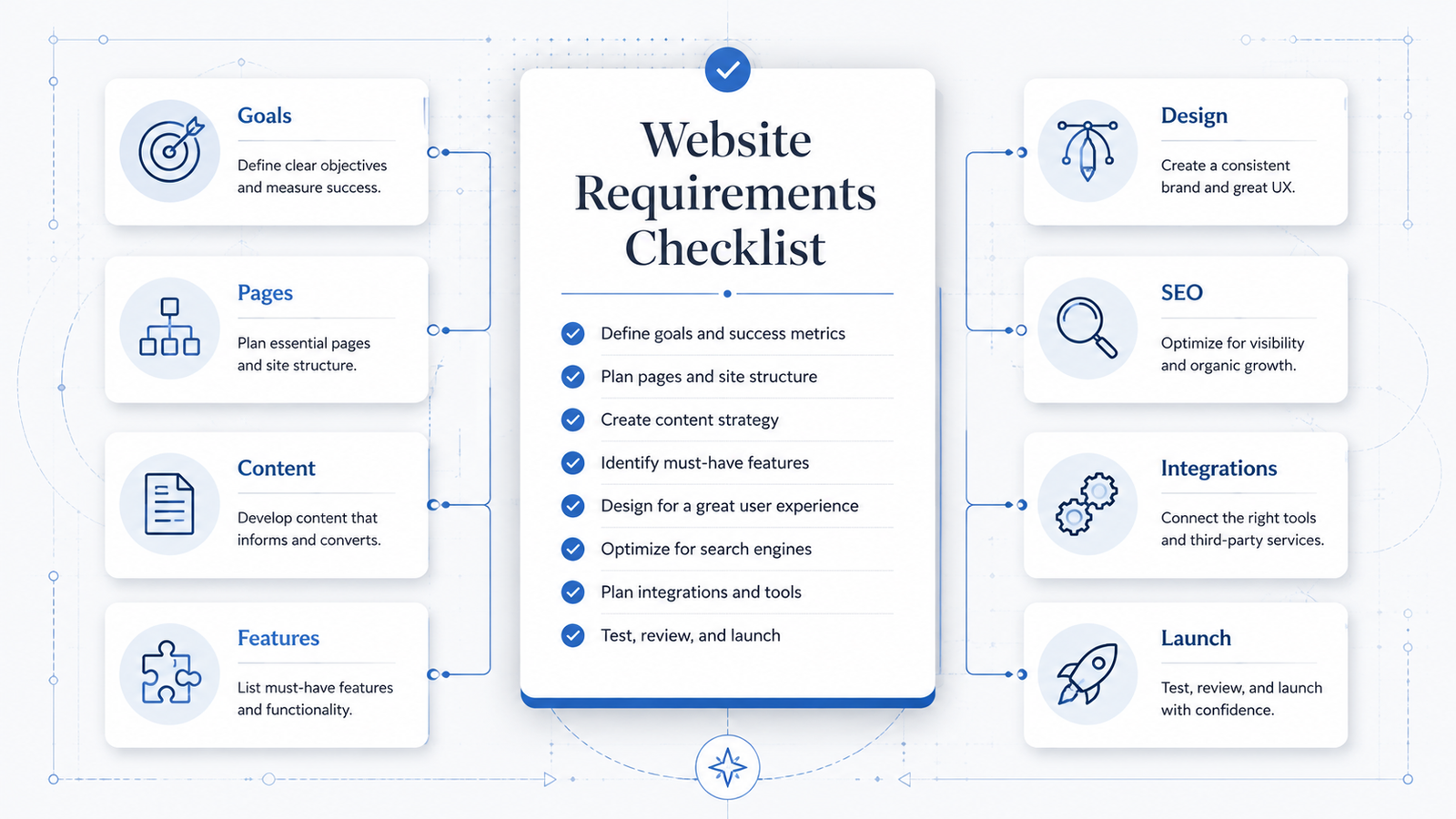
What Are Website Requirements?
Website requirements describe what a website needs to contain, support, or accomplish.
Some requirements describe business needs:
- generate inquiries;
- accept bookings;
- sell products;
- explain services;
- provide customer information.
Others describe website features:
- contact forms;
- online payments;
- customer accounts;
- search;
- multilingual content;
- appointment scheduling.
There can also be practical requirements such as:
- existing domain name;
- hosting;
- business email;
- legal pages;
- analytics;
- mobile compatibility;
- integrations with other software.
The point of a requirements checklist is to bring these decisions together before they become scattered across emails, notes, conversations, and unfinished ideas.
Why Create a Website Requirements Checklist Before Building?
A website can look simple while still containing many decisions.
Consider a basic contact form.
At first, the requirement might appear to be:
“The website needs a contact form.”
But that immediately creates other questions:
- What information should the form collect?
- Which fields are required?
- Where should submissions be sent?
- Should users receive a confirmation?
- Should files be uploadable?
- Does the information need to enter a CRM?
- What should happen after submission?
You do not necessarily need to answer every technical question yourself.
But identifying the requirement early makes it much easier to design the right solution.
A requirements checklist also helps prevent scope creep.
Scope creep happens when new requirements continue appearing after a project has already begun.
For example:
“We also need online booking.”
Then:
“Customers should be able to create accounts.”
Then:
“We need three languages.”
Then:
“Can bookings automatically sync with our existing system?”
Each requirement may be perfectly reasonable.
The problem is discovering all of them halfway through the project.
Planning does not eliminate every surprise, but it greatly reduces avoidable ones.
1. Define the Primary Website Goal
Start with the reason the website exists.
Try to identify one primary goal rather than creating a long list of equally important objectives.
Examples include:
- generate qualified inquiries;
- receive appointment bookings;
- sell products online;
- explain professional services;
- generate restaurant reservations;
- showcase a portfolio;
- provide information to existing customers;
- collect membership applications.
You can have secondary goals too.
For example:
Primary goal: Generate service inquiries.
Secondary goals:
- show previous work;
- answer common questions;
- publish useful articles;
- build credibility.
This distinction matters because the primary goal should influence page structure, navigation, calls to action, and content priorities.
Do not start by choosing colors or layouts.
First establish what the website needs to accomplish.
2. Identify the Target Audience
Write down who the website is primarily for.
A target audience does not always need a detailed marketing persona.
For many businesses, a simple description is enough.
Examples:
- homeowners looking for local plumbing services;
- small businesses needing bookkeeping support;
- parents looking for children’s classes;
- restaurant owners purchasing commercial equipment;
- customers shopping for handmade furniture;
- companies looking for cybersecurity consulting.
If the website serves several distinct audiences, list them separately.
For example:
Primary audience
- homeowners
Secondary audience
- property managers
- landlords
This becomes important later because different audiences may need different information or routes through the site.
3. List the Main Actions Visitors Should Be Able to Take
Your requirements should include what visitors need to do, not only what they need to read.
Possible actions include:
- request a quote;
- call the business;
- send a message;
- book an appointment;
- reserve a table;
- buy a product;
- register for an account;
- download a document;
- subscribe to email updates;
- view a portfolio;
- find a location;
- get directions;
- search for information.
Do not add features just because websites can have them.
Every action should support a real visitor need or business goal.
For example, if nobody needs to create an account, adding an account system only creates additional complexity.
4. Create the Initial Page List
Next, identify the pages the website requires.
A simple service-business website might include:
- Home
- Services
- Individual Service pages
- About
- Work or Portfolio
- FAQ
- Contact
- Privacy Policy
Another business may need:
- Locations
- Pricing
- Booking
- Team
- Case Studies
- Resources
- Blog
- Terms and Conditions
An online store may additionally require:
- Shop
- Product Categories
- Product Pages
- Cart
- Checkout
- Customer Account
- Shipping Information
- Returns Policy
Do not worry about creating the perfect structure at this stage.
The purpose is to identify the major content areas.
You can organize them into a proper website sitemap afterward.
5. Define the Purpose of Each Page
A page list becomes much more useful when every page has a job.
For example:
| Page | Purpose |
|---|---|
| Home | Introduce the business and direct visitors to important sections |
| Services | Give an overview of available services |
| Service Page | Explain one service in detail |
| About | Explain who is behind the business and establish credibility |
| Portfolio | Show examples of completed work |
| FAQ | Answer common questions |
| Contact | Give visitors a clear way to make an inquiry |
This can expose unnecessary pages.
If two pages have almost exactly the same purpose, you may be able to combine them.
It can also reveal missing pages.
For example, you may realize that customers need detailed information about how your service works, but no existing page has been assigned that job.
6. Make a Content Requirements List
Now consider what content each page will need.
Content can include much more than text.
For each page, consider whether you need:
- headings;
- body copy;
- service descriptions;
- product descriptions;
- photographs;
- illustrations;
- videos;
- testimonials;
- reviews;
- case studies;
- pricing information;
- staff biographies;
- FAQs;
- downloadable documents;
- contact details;
- opening hours;
- addresses;
- maps.
For example:
About Page
Required:
- short company introduction;
- company background;
- team photograph;
- service area;
- qualifications.
Service Page
Required:
- service description;
- who the service is for;
- what is included;
- process;
- example work;
- frequently asked questions;
- next action.
This does not mean all of the content needs to be written before the website project begins.
It means you know what content will eventually be required.
7. Record Which Content Already Exists
You may already have useful material.
Make a simple inventory.
Available
- logo;
- business description;
- service descriptions;
- staff photographs;
- product photography;
- testimonials;
- contact details.
Needs updating
- old company description;
- outdated service photographs;
- previous pricing document.
Missing
- new service descriptions;
- team biographies;
- FAQ answers;
- portfolio photographs.
This is useful because content is often one of the biggest causes of website delays.
A page cannot be completed properly if nobody knows what information is supposed to appear on it.
8. List Required Website Features
Now identify functionality beyond ordinary pages and text.
Common features include:
- contact forms;
- quote request forms;
- appointment booking;
- ecommerce;
- online payments;
- user accounts;
- website search;
- live chat;
- maps;
- document downloads;
- newsletter signup;
- event registration;
- membership access;
- multilingual content;
- calculators;
- product filters;
- review displays;
- social media feeds.
Separate features into three categories:
Required
The website cannot accomplish its main purpose without them.
Useful
They would improve the website but are not essential for launch.
Future
They may be useful later but do not need to be included in the first version.
This simple classification can prevent a project from becoming unnecessarily large.
9. Define Form Requirements
Forms deserve their own checklist because even simple websites commonly use them.
For each form, decide:
Purpose
What is the form for?
Examples:
- general contact;
- quote request;
- booking request;
- job application;
- customer support.
Fields
What information needs to be collected?
For example:
- name;
- email;
- phone;
- company;
- service required;
- message.
Only collect information you actually need.
A visitor asking a simple question should not have to complete twenty fields.
Required fields
Which information is essential before the form can be submitted?
File uploads
Do visitors need to upload:
- photographs;
- PDFs;
- project files;
- documents?
Destination
Where should submissions go?
For example:
- email;
- CRM;
- help desk;
- database.
Confirmation
What should users see after a successful submission?
Examples:
- confirmation message;
- thank-you page;
- email acknowledgement.
Thinking through these details early makes the requirement much clearer than simply writing “contact form.”
10. Identify Ecommerce Requirements if You Sell Online
If the website will sell products, the requirements become more detailed.
List things such as:
Products
- approximate number of products;
- physical or digital products;
- product variations;
- sizes;
- colors;
- custom options.
Categories
How should customers browse products?
Payments
Which payment methods need to be accepted?
Shipping
Consider:
- shipping locations;
- shipping rates;
- local pickup;
- free-shipping rules;
- delivery options.
Taxes
Determine what tax handling the business requires.
Orders
Who processes orders and how?
Customer accounts
Are accounts necessary, optional, or unnecessary?
Inventory
Does stock need to be tracked?
Returns
How will return and refund information be presented?
You do not need to choose every technical implementation at this stage.
First define the business requirements.
The technology can then be selected around them.
11. List Required Integrations
A website rarely operates completely by itself.
It may need to connect with other systems.
Common integrations include:
- email marketing platforms;
- CRM systems;
- booking software;
- accounting systems;
- payment processors;
- shipping services;
- analytics platforms;
- customer support tools;
- social platforms;
- inventory systems.
Write down systems already used by the business.
For example:
Existing systems
- CRM: [system name]
- Email marketing: [system name]
- Booking: [system name]
Then identify what the website needs to exchange with them.
For example:
Contact form submissions should create a CRM lead.
That is a much clearer requirement than simply writing:
CRM integration.
12. Decide Whether Users Need Accounts or Login Areas
Login systems introduce additional requirements, so determine whether they are genuinely needed.
Possible reasons for accounts include:
- viewing orders;
- accessing private documents;
- managing subscriptions;
- saving information;
- accessing member-only content;
- submitting support requests;
- managing bookings.
If accounts are required, consider what users need to do after logging in.
For example:
Customer account requirements
- log in;
- reset password;
- view orders;
- update contact details;
- download invoices.
Do not add account functionality merely because it seems professional.
If the visitor does not benefit from having an account, guest access may provide a simpler experience.
13. Define Navigation Requirements
Write down what visitors should be able to reach easily from the main navigation.
For a simple website:
- Home
- Services
- Work
- About
- Contact
Secondary pages might appear in dropdown menus or the footer.
For example:
Main navigation
- Services
- Work
- About
- Resources
- Contact
Footer
- Privacy Policy
- Terms
- Accessibility information
Navigation requirements should follow the website structure rather than being decided independently.
If the navigation already contains fifteen top-level items, the underlying site structure may need another review.
14. Record Design and Branding Requirements
You do not need to design the website while creating the requirements checklist.
But you should identify constraints and existing brand materials.
Record whether you have:
- logo files;
- brand colors;
- fonts;
- brand guidelines;
- photography style;
- icon style;
- existing printed materials;
- examples of websites you like;
- design styles you want to avoid.
If there are no formal brand guidelines, that is fine.
You can still describe the preferred direction using ordinary language:
- clean;
- professional;
- friendly;
- minimal;
- bold;
- traditional;
- premium;
- playful;
- technical.
Reference websites can also help communicate preferences.
When using references, identify what you like.
For example:
I like the large photographs and simple navigation.
That is more useful than:
Make my website exactly like this one.
15. Define Mobile Requirements
Mobile responsiveness should normally be treated as a basic requirement rather than an optional extra.
But it is still useful to consider what mobile visitors specifically need.
For example:
A restaurant visitor may need:
- opening hours;
- directions;
- menu;
- telephone number;
- reservation button.
A tradesperson’s website may need:
- tap-to-call;
- service areas;
- quote form.
An ecommerce site may need:
- easy product filters;
- readable product images;
- simple checkout.
The desktop and mobile website contain the same underlying business information, but priorities can feel different on a small screen.
16. Identify Accessibility Requirements
Accessibility should be considered during planning rather than added at the end.
Basic considerations include:
- readable text;
- sufficient contrast;
- meaningful headings;
- keyboard-accessible navigation;
- descriptive link text;
- form labels;
- alternative text for meaningful images;
- captions or transcripts where appropriate.
Some organizations may also have specific legal or organizational accessibility requirements.
If those apply to your project, record them explicitly rather than assuming they will be handled automatically.
17. List SEO Requirements
You do not need a complete SEO strategy before building a website, but technical and structural SEO requirements should not be forgotten.
Consider:
- indexable public pages;
- logical heading structure;
- descriptive page titles;
- clean URLs;
- internal linking;
- image alternative text;
- mobile usability;
- page performance;
- XML sitemap;
- redirects from old URLs when replacing an existing website.
If you already know important search topics or service locations, record those too.
For example:
Core services
- emergency plumbing;
- boiler repair;
- bathroom installation.
Main locations
- Bristol;
- Bath;
- Weston-super-Mare.
This can influence the content and site structure.
Avoid turning the requirements document into a giant keyword list.
The goal is simply to ensure that search visibility is considered while the website is being structured.
18. Identify Legal and Privacy Requirements
The exact legal requirements depend on the business, location, website features, and applicable laws.
At the planning stage, identify whether the website may need things such as:
- privacy policy;
- terms and conditions;
- cookie information or consent controls;
- refund policy;
- shipping policy;
- accessibility statement;
- business identification details;
- industry-specific disclosures.
Do not copy another website’s legal documents without checking whether they apply to your business.
Legal pages should reflect what the website actually does and the rules that apply to it.
19. Record Domain and Hosting Information
The requirements checklist should also capture existing technical assets.
Domain
Record:
- domain name;
- registrar;
- whether you control the account;
- renewal status.
Do not put passwords directly into an ordinary project document.
Hosting
If hosting already exists, record:
- provider;
- hosting type if known;
- whether the existing website must remain online during development.
Business email
Check whether email currently uses the same domain.
For example:
hello@example.com
This matters because changing domain or DNS settings without understanding the existing email configuration can cause unnecessary disruption.
20. Record Requirements for an Existing Website
If this is a redesign rather than a new website, the old site creates additional requirements.
Identify:
- pages that must remain;
- pages that can be removed;
- content worth keeping;
- existing forms;
- downloadable files;
- important URLs;
- analytics;
- search traffic;
- integrations;
- customer accounts;
- redirects.
Do not assume that redesigning a website means throwing everything away.
Some existing URLs or content may already be valuable.
A redesign requirement might say:
Keep the existing service pages and URLs, but reorganize the main navigation.
That is very different from:
Replace the entire website.
21. Define Who Will Maintain the Website
Think beyond launch.
Who will update:
- text;
- images;
- blog posts;
- products;
- prices;
- staff information;
- opening hours?
If the business intends to make normal updates internally, easy content editing becomes a requirement.
For example:
Staff must be able to add blog posts without editing code.
Or:
Store staff must be able to add and update products.
Requirements like these can affect which tools and architecture make sense.
22. Separate Launch Requirements From Future Ideas
A requirements checklist often grows quickly because people remember features they may want eventually.
Do not automatically place everything into the first version.
Use three columns:
| Requirement | Priority | Stage |
|---|---|---|
| Contact form | Required | Launch |
| Service pages | Required | Launch |
| Customer reviews | Required | Launch |
| Blog | Useful | Launch |
| Online booking | Useful | Later |
| Customer portal | Future | Later |
This allows you to capture good ideas without letting them delay the website unnecessarily.
A future feature is not forgotten simply because it is not built immediately.
23. Identify Who Is Responsible for Each Requirement
Projects become easier when ownership is clear.
For example:
| Requirement | Owner |
|---|---|
| Logo files | Business |
| Service descriptions | Business |
| Website layout | Designer |
| Product photographs | Business |
| Contact form setup | Developer |
| Domain access | Business |
| Redirect plan | Developer / SEO |
Without ownership, tasks can remain unresolved because everyone assumes somebody else is handling them.
This is especially important for content.
A website project can be technically ready while still waiting for photographs, descriptions, or approvals.
24. Note Important Constraints
Requirements describe what you need.
Constraints describe boundaries you must work within.
Examples include:
- fixed launch date;
- existing software that must be retained;
- specific payment provider;
- existing domain;
- limited staff time;
- required brand guidelines;
- regulatory requirements;
- old website that must remain operational during migration.
Constraints should be written down early.
Otherwise they often appear after a solution has already been planned.
A Practical Website Requirements Checklist
You can use the following as a starting checklist.
Business and goals
- Primary website goal defined
- Secondary goals identified
- Target audience identified
- Main visitor actions defined
- Business location or service area recorded
Website structure
- Required pages listed
- Purpose of each page defined
- Main navigation planned
- Footer pages identified
- Website sitemap drafted
Content
- Existing content inventoried
- Missing content identified
- Service or product descriptions required
- Images required
- Testimonials or reviews available
- Contact details confirmed
- FAQs identified
Features
- Contact forms defined
- Booking requirements defined
- Ecommerce requirements defined
- Search requirements defined
- User accounts considered
- Downloads considered
- Multilingual requirements considered
- Other interactive features listed
Integrations
- CRM requirements identified
- Email marketing requirements identified
- Payment requirements identified
- Booking software identified
- Analytics requirements identified
- Other existing business systems listed
Design
- Logo available
- Brand colors available
- Fonts or brand guidelines available
- Design preferences documented
- Reference websites collected
- Styles to avoid documented
User experience
- Mobile experience considered
- Main calls to action identified
- Accessibility considered
- Forms kept appropriately simple
- Navigation understandable to first-time visitors
SEO
- Important services identified
- Important locations identified
- Search-friendly page structure considered
- Existing URLs recorded if redesigning
- Redirect requirements identified
- Indexing requirements considered
Legal and privacy
- Privacy requirements identified
- Terms identified where applicable
- Cookie requirements considered
- Ecommerce policies identified where applicable
- Industry-specific requirements identified
Technical
- Domain ownership confirmed
- Domain registrar recorded
- Hosting situation recorded
- Business email configuration noted
- Existing website platform identified
- Existing integrations recorded
- Backup or migration requirements considered
Project planning
- Launch requirements separated from future ideas
- Requirements prioritized
- Responsibilities assigned
- Important constraints documented
- Content responsibilities assigned
- Website maintenance responsibility decided
How Detailed Should Your Requirements Checklist Be?
The level of detail should match the complexity of the website.
A five-page local business website does not need a 100-page requirements specification.
You may only need:
- website goal;
- audience;
- sitemap;
- required content;
- contact form;
- design direction;
- domain details;
- launch requirements.
A large ecommerce website with customer accounts, multiple payment methods, inventory integrations, and complex shipping rules needs substantially more detail.
The checklist should make decisions clearer.
It should not become paperwork for its own sake.
Requirements Are Different From Solutions
This distinction is useful.
A requirement describes what needs to happen.
A solution describes how it will be implemented.
For example:
Requirement:
Customers must be able to book appointments online.
Possible solution:
Install a particular booking platform or plugin.
Another example:
Requirement:
Staff must be able to update website content without editing code.
Possible solution:
Use a content management system with a visual editor.
Starting with the requirement gives you more flexibility.
If you choose a solution before understanding the requirement, you may end up forcing the business process to fit the tool.
Do Not Try to Predict Everything
A website requirements checklist does not need to anticipate every possible decision.
Some details are easier to resolve during design or development.
The checklist should answer the important questions well enough to establish:
- what the website is for;
- what it contains;
- what visitors need to do;
- what functionality is required;
- what content is needed;
- what existing systems matter;
- what must be ready for launch.
It is normal for smaller details to evolve.
The goal is clarity, not perfect prediction.
Final Thoughts
A website project becomes much easier to manage when the requirements are written down before the build becomes complicated.
Start with the business goal and visitor needs.
Then work through:
Pages → Content → Features → Integrations → Design → Technical needs → Launch requirements.
Keep required features separate from ideas that can wait.
Record what already exists, what is missing, and who is responsible for supplying it.
Most importantly, describe what the website needs to accomplish before deciding exactly how every requirement will be implemented.
A simple website requirements checklist can prevent many of the misunderstandings, forgotten features, content delays, and mid-project changes that otherwise appear later.
Related reading: setting a realistic website scope, planning a simple website sitemap, and planning a business website from start to launch.